
Why use Ekomade, what is the advantage?
Secure Encryption

Global Server Network
Anonymous Browsing
No-log policy
24/7 customer support

Kill Switch
Basic information about protocols we use
Gain insight into the foundational protocols ensuring your online security. Our VPN employs a range of cutting-edge technologies, including the widely trusted OpenVPN protocol, renowned for its strong encryption standards and adaptability across various platforms. Additionally, we utilize the fast and reliable IKEv2/IPSec protocol, ideal for maintaining seamless connections, especially on mobile devices. With these protocols at the core of our service, rest assured that your data remains safeguarded, whether you're browsing from home or on the go.
What you can do with Ekomade?

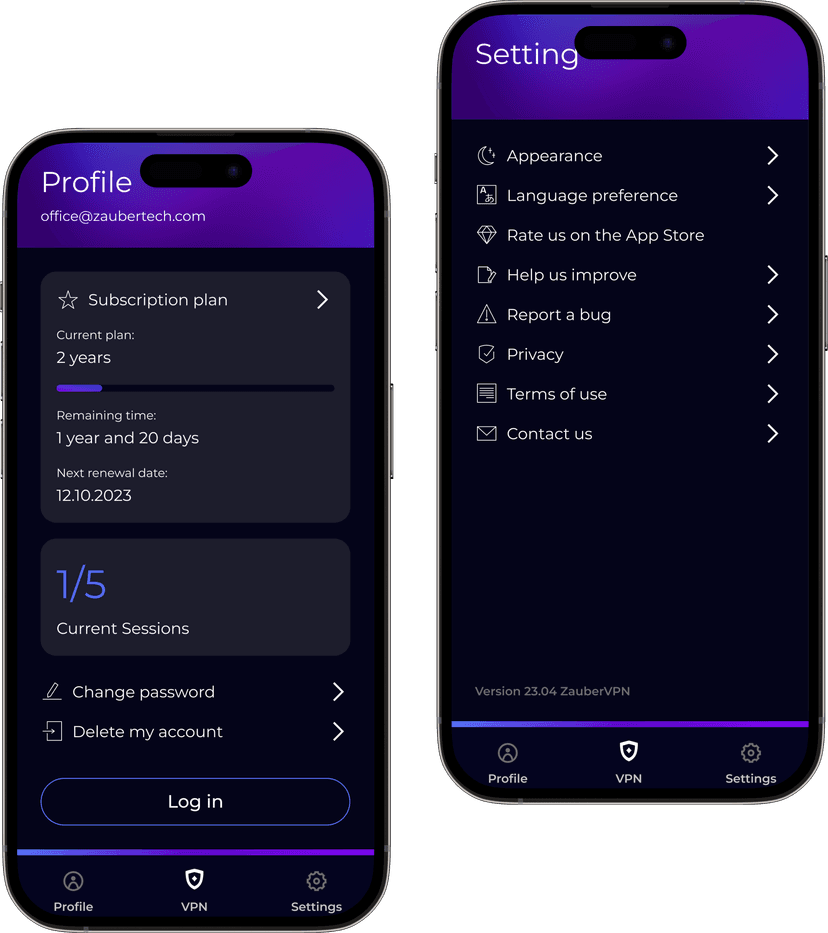
How to use Ekomade?
Download and install the Ekomade app from your device's app store.
Open the app and sign in or create an account if prompted.
Once logged in, you'll typically see a list of server locations. Choose the server location you want to connect to.
Click or tap on the "Connect" button to establish a VPN connection.
Once connected, your device's internet traffic will be encrypted and routed through the selected server.
To disconnect from the VPN, simply click or tap on the "Disconnect" button within the app.
You can often customize settings within the app, such as choosing specific servers, enabling features like split tunneling or kill switch, and more, depending on the capabilities of the VPN service.
How to use Ekomade?
Download and install the Ekomade app from your device's app store.
Open the app and sign in or create an account if prompted.
Once logged in, you'll typically see a list of server locations. Choose the server location you want to connect to.
Click or tap on the "Connect" button to establish a VPN connection.
Once connected, your device's internet traffic will be encrypted and routed through the selected server.
To disconnect from the VPN, simply click or tap on the "Disconnect" button within the app.
You can often customize settings within the app, such as choosing specific servers, enabling features like split tunneling or kill switch, and more, depending on the capabilities of the VPN service.

Customer feedback
Emily Johnson
"Absolutely impressed with this VPN app! It's fast, reliable, and super easy to use. Plus, the customer support team is incredibly helpful and responsive. Highly recommend!"
Michael Chang
"I've tried several VPN apps before, but this one is by far the best. It never slows down my internet speed, and I feel secure knowing my data is encrypted. Five stars!"
David Thompson
"I was hesitant to try another VPN app after my previous bad experiences, but this one exceeded my expectations. It's intuitive, affordable, and has a wide range of server locations. It's now my go-to VPN!"
Sarah Wilson
"Perfect for streaming! I can access all my favorite shows from anywhere in the world. The connection is always stable and fast. Love it!"
James Rodriguez
"Great value for money! The app works seamlessly across all my devices. The kill switch feature gives me extra peace of mind. Highly recommended!"
Lisa Chen
"Excellent customer service and reliable performance. I've been using it for months without any issues. The interface is clean and user-friendly."

Some answers you might find helpfull
A VPN (Virtual Private Network) works by encrypting your internet connection, making it secure and private. It masks your IP address, preventing third parties from tracking your online activities. You need a VPN for enhanced privacy, security, and the ability to access geo-blocked content while ensuring your data remains safe from prying eyes.